ID: com.appspot.clipcopy
Version: 1.2
File Size: 1.8Mb
Clip Copy - pc to mobile Screenshots
Clip Copy - pc to mobile Description
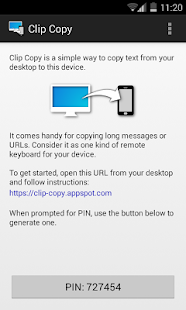
Clip Copy is a simple way to send text from your desktop to your Android device. It comes handy for sharing long messages or URLs. Consider it as one kind of remote keyboard for your Android device.Now, with browser plugin available, it is just a single click operation!
https://chrome.google.com/webstore/detail/clip-copy/nhabmnkcikbafdgidlmjkflpiemhnbch
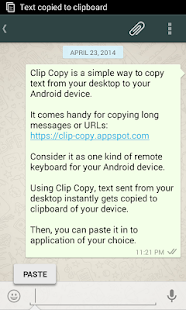
Text sent using Clip Copy instantly gets copied to clipboard of your device. Then, you can paste it in to application of your choice to use it further.
Clip Copy comes with an integrated soft keyboard. If Clip Copy Keyboard is selected as active input method, text sent through Clip Copy will get automatically typed into the active application and 'send' action will be triggered. It is very useful, for example, when chatting on WhatsApp.
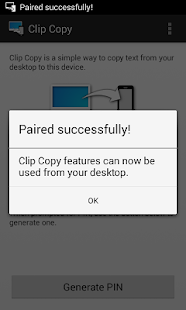
To get started, visit https://clip-copy.appspot.com from your desktop and follow easy to understand instructions.
Don't forget to share it with your friends and family!
What's new in Clip Copy - pc to mobile 1.2
Version 1.2:- Integrated soft keyboard. If Clip Copy Keyboard is selected as active input method, text sent through Clip Copy will be typed into the active application and sent automatically*.
- Added support for Chrome browser extension. Now send text/URL from Chrome through right-click menu.
- Revisited notification settings.
* Requires screen to be ON.