ID: com.speech
Version: v2.7.01
File Size: 19Mb
Philips Dictation Recorder Screenshots
Philips Dictation Recorder Description
CAPTURE YOUR THOUGHTS ON THE GOThe professional dictation app allows you to record, edit and securely send your dictations from anywhere, at any time. The intuitive and user-friendly app, allows you to instantly record your notes, emails, reports, or any other documents and seamlessly integrates itself within your existing dictation workflow. Recordings can be sent off to be processed by a transcriptionist, speech recognition software or Philips dictation workflow solutions such as SpeechLive and SpeechExec. Save valuable time and money by reducing turnaround times and become more flexible and productive right away.
ENHANCE YOUR PRODUCTIVITY
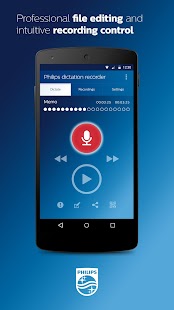
• Easy-to-use touch screen control for intuitive operation
• Location independent
• Integrated barcode scanner for easy and fast file/case assignment
DESIGNED FOR PROFESSIONALS
• Advanced editing functions such as insert, overwrite and append for professional recording control
• File and application encryption for maximum security
• Priority setting for getting urgent jobs processed first
You can test the app for free for 30 days. Once the trial period is over, you can select one of the following secure sending methods:
PHILIPS SPEECHLIVE
Philips SpeechLive is a cloud-based dictation solution which gives you full control of your workflow. From anywhere, anytime. SpeechLive also offers a transcription service, where professional typists transcribe your dictations for you in no time. Speak, send, done. Sign up or test SpeechLive for free for 30 days here: www.speechlive.com
PHILIPS SPEECHEXEC MOBILE SERVER
With Philips SpeechExec mobile server you can manage secure dictation file delivery. Once an audio file is transferred to Philips SpeechExec mobile server or Philips SpeechExec dictation hub, it is sent automatically to the right transcription workstation within your company network. The mobile server as well as a license for SpeechExec dictation hub can be acquired at a Philips certified reseller. Find a reseller near you: www.dictation.philips.com/smartphone_buy
Both options will allow you to integrate the app with your SpeechExec dictation workflow and of course you will be able to keep sending your dictations via email if you choose.
• Attach photos and barcodes for increased data accuracy
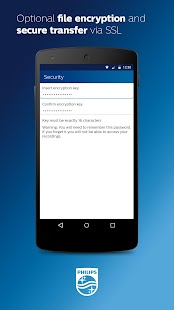
• Optional file encryption and secure transfer via SSL
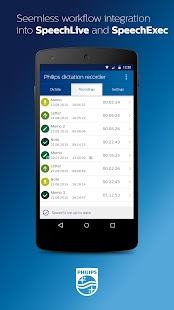
• Seamless integration into SpeechLive and SpeechExec workflow
• Professional file editing and intuitive recording control
We have tested and released version 2.7.01 on the following devices:
• Nexus5 with 4.4.2 and 5.1.0
• Nexus6 with 5.1.0
• Samsung Galaxy S5 with 5.0.0
• Samsung Galaxy S4 with 4.4.2
• Samsung Galaxy Note4 with 4.4.4
• Samsung Galaxy Nexus with 4.2.1
In case you have a smartphone different than the ones that are listed above, please make sure to upgrade your smartphone to Android version 4.2.1 or later.
IMPORTANT NOTE FOR E-MAIL DELIVERY:
Some audio players may not not have the wav-codec, which is optimised for voice files, preinstalled. In this case you can download the codec from our website: https://www.dictation.philips.com/adpcmcodec